How to show all shortcut keys in vs code
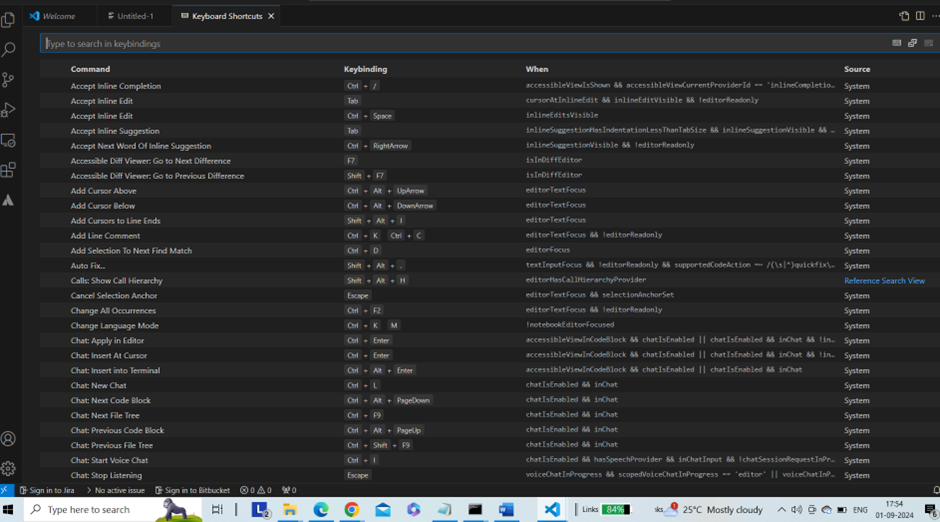
Using a keyboard shortcut (CTRL + k + s) key, we can display all the short code of VS Code
Steps:
- Open VS Code
- Press CTRL + K + S
See the shortcut key panel
Keep Learning 🙂

Using a keyboard shortcut (CTRL + k + s) key, we can display all the short code of VS Code
Steps:
See the shortcut key panel
Keep Learning 🙂
Excellent, it has been very useful to me. And remember that a programmable mouse is very useful to have the most common ones directly in your hand without having to use the keyboard.
Appreciate this post. Will try it out.
Awesome! Its actually remarkable paragraph, I have got much clear idea on the topic of from this paragraph.